For facilities and trades
Parts on the van, tools back on the wall.
Track parts in the shop and on every van, check tools out to crews, and move stock between sites before you buy more. Shelfbuzzer tells you what to order and by when.
No card needed · Starts with a ready-made list for facilities and trades
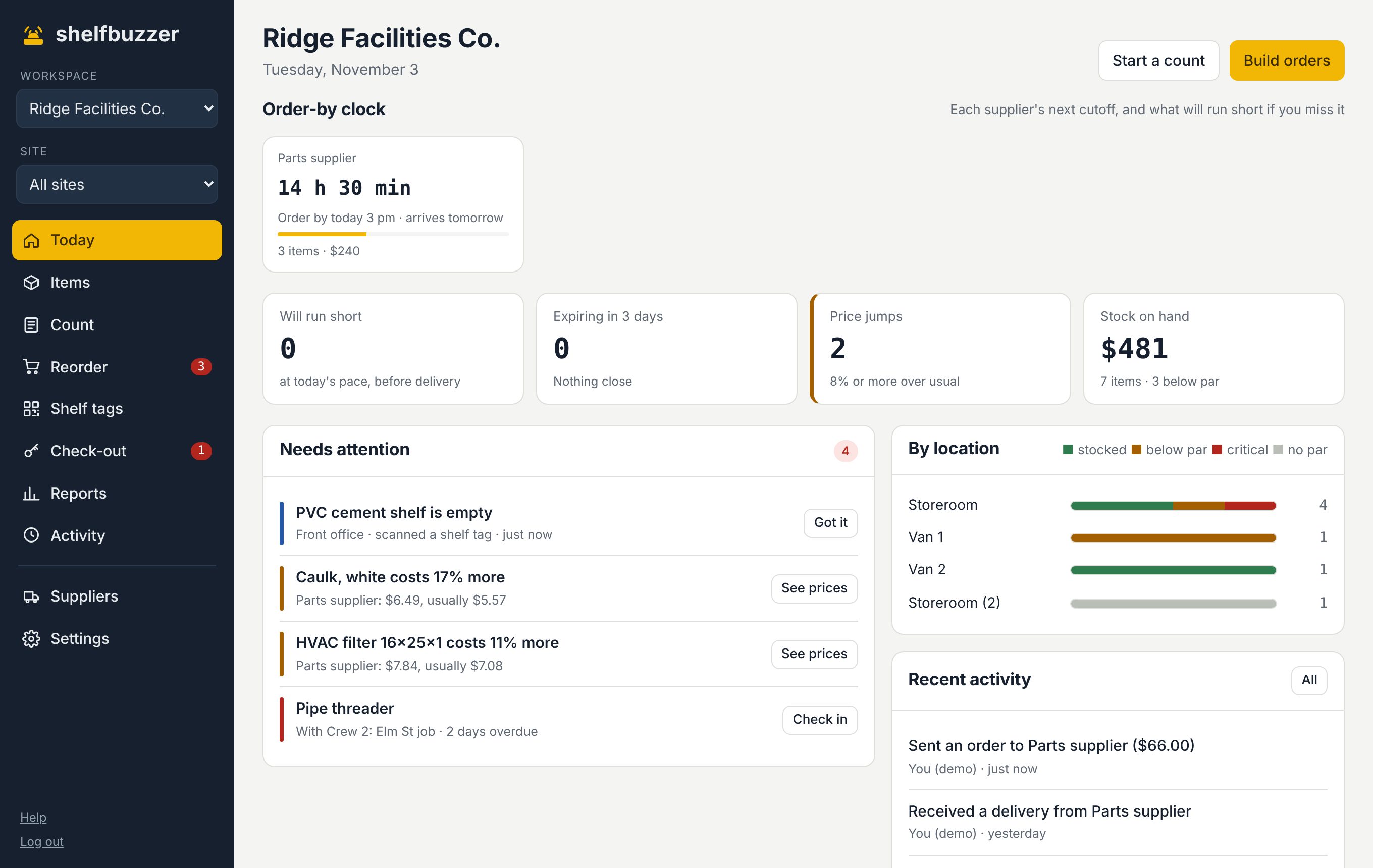
Sound familiar?
Each van is its own storage area with its own par levels, so it gets restocked before it's empty.
Check tools out to a person or crew with a due date. Overdue tools show up every morning.
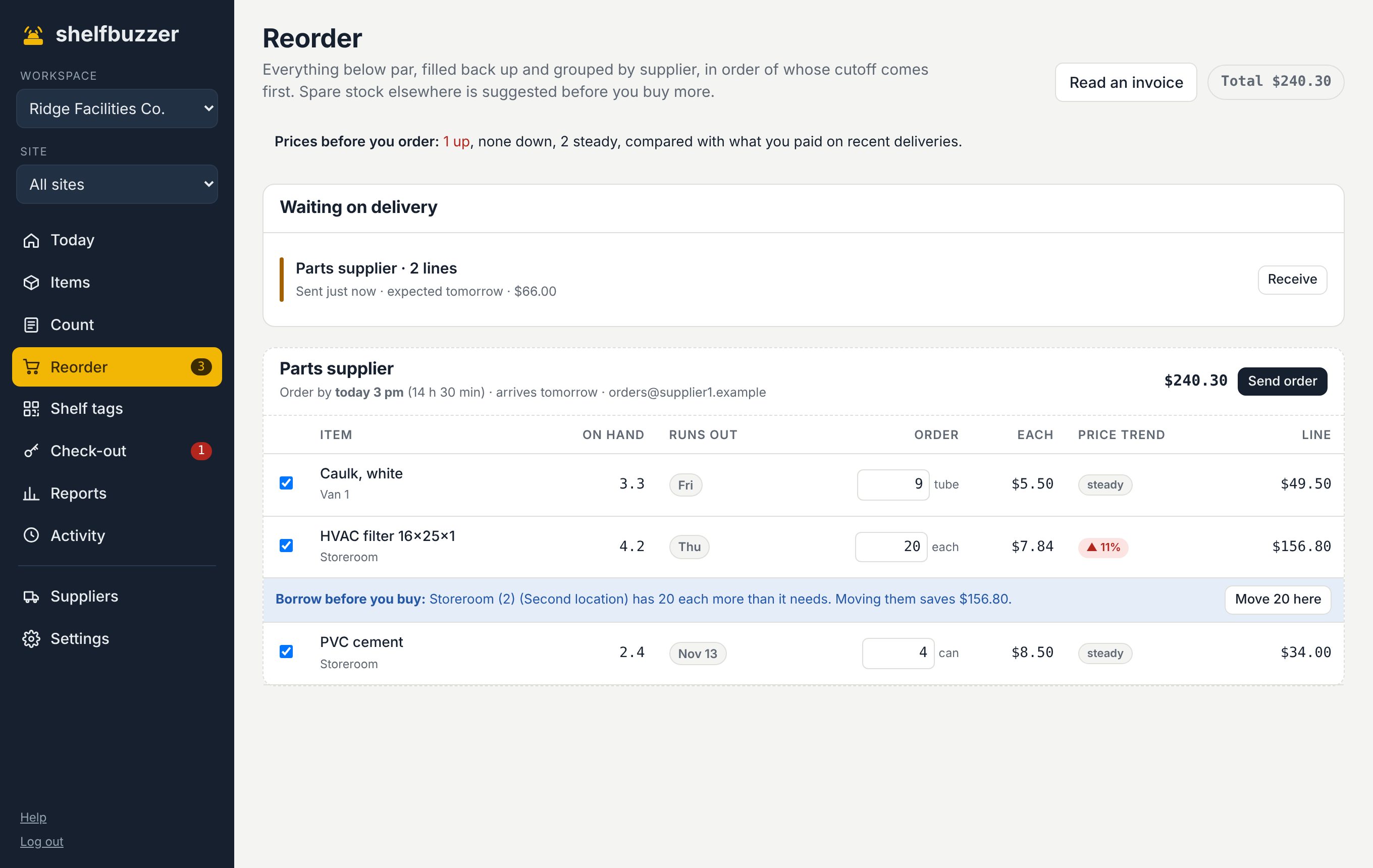
Before you order, Shelfbuzzer checks if another site or van has spare and offers to move it.
What you get
Made for how facilities and trades actually run.
Vans and sites
Shops, vans and job sites as storage areas. See all of them or one at a time.
Tool check-out
Who has it, since when, and when it's due back, with a QR tag on the tool.
Borrow before you buy
Spare stock elsewhere is suggested on the order, with what moving it saves.
Approvals
Orders over an amount you set wait for an admin before they go out.
Starts with: Fittings · filters · wire nuts · caulk · fasteners · breakers · safety glasses. Change anything.
Questions
Asked by facilities and trades.
Does it work without signal on a job?
Shelfbuzzer needs a connection to save changes. Shelf tags load fast on a weak signal.
Can crews log parts without an account?
Yes. They scan the tag on the bin or van shelf and tap how many they used.
How many vans can I track?
As many storage areas as you like. Plans differ by number of sites, items and people.
Try it on your own shelves.
Free for 3 months with every feature. Set up in an afternoon with a ready-made list for facilities and trades.